Emma is your LinkedIn presence: original posts in your voice, thoughtful comments on buyers’ posts and warm-up engagement before Maya reaches out. Finn keeps the people you already know warm with a light, relevant note every few months.
Emma: posts and comments
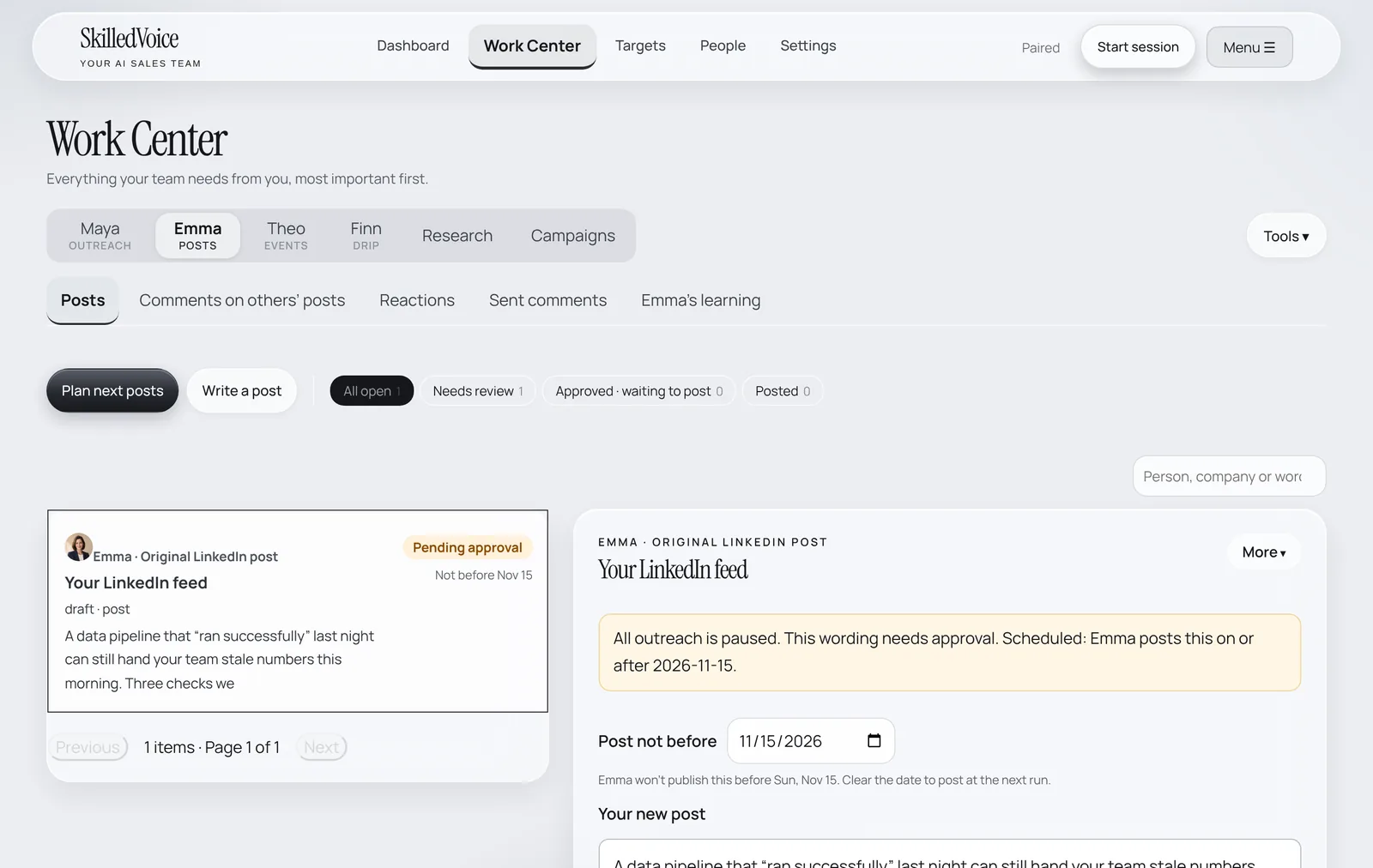
- Open Work Center → Emma. Click Plan next posts and Emma drafts posts from your themes and stories, or Write a post to start from your own idea.
- Open a draft to edit it, set Post not before if timing matters, and approve.
- Under Comments on others’ posts and Reactions, review what Emma wants to say on buyers’ posts.
- Emma’s learning holds a short interview about you. Ten minutes there makes every post sound more like you.
How Maya talks about you
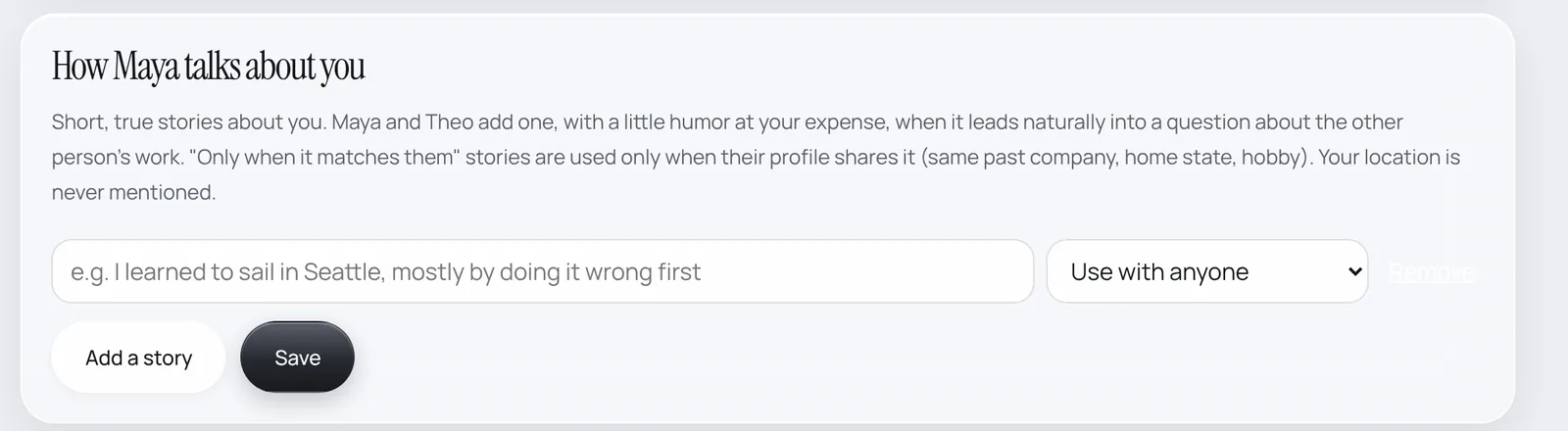
Add short, true stories about yourself in Settings → How Maya talks about you. Maya and Theo add one, with a little humor at your expense, when it leads naturally into a question about the other person’s work. Stories marked “Only when it matches them” are used only when the person shares it (same past company, home state, hobby).
Finn: the drip
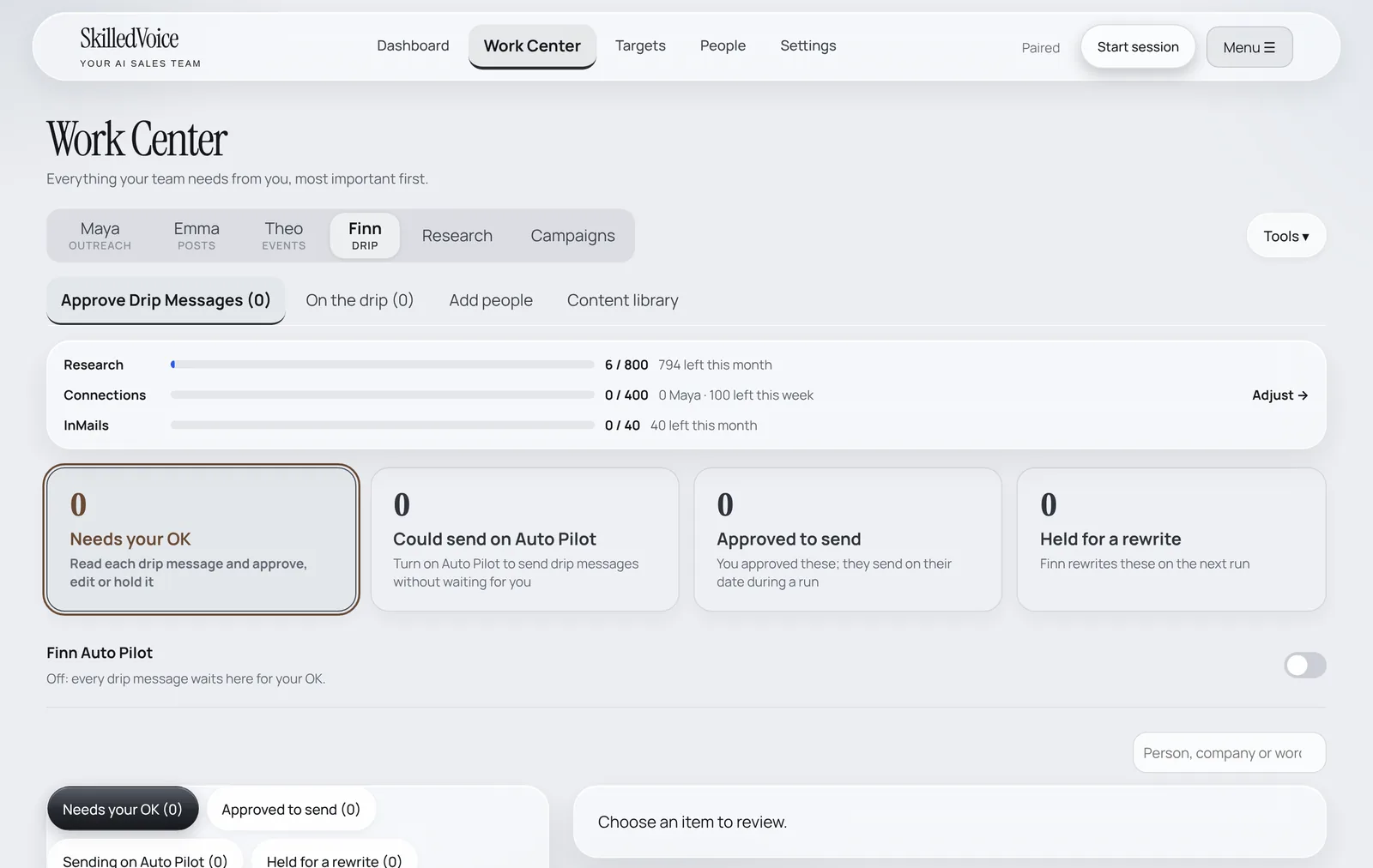
Finn looks after people who aren’t ready now: buyers who said “not now”, past contacts and people you add. Each gets a personal check-in or a buyer note every few months. Add anyone with Add to Finn’s drip from the Work Center or People.